Why 480p to 1080p needs AI, not just a resize
480p is standard definition: DVDs, early smartphones, webcams and most videos from before 2010. A 480p frame has about 400,000 pixels; a 1080p frame has more than two million. Converting 480p to 1080p with an ordinary resize fills that gap by averaging neighbouring pixels, which is why upscaled DVDs look soft and slightly smeared on a modern TV.
This converter uses Real-ESRGAN, an AI model trained on degraded and clean image pairs. It recognises edges, text, faces and textures, removes the noise and blocks left by compression, and rebuilds the picture at four times the size before scaling it to exactly 1080 lines. The result is a genuine 1080p file that looks crisp rather than stretched.
How to convert 480p to 1080p
- Drop your 480p video into the box above. MP4, MOV, MKV and WebM are supported if your browser can decode them.
- Output is already set to 1080p. Keep "Real footage" for live video, or choose "Anime / cartoon" for animated DVDs.
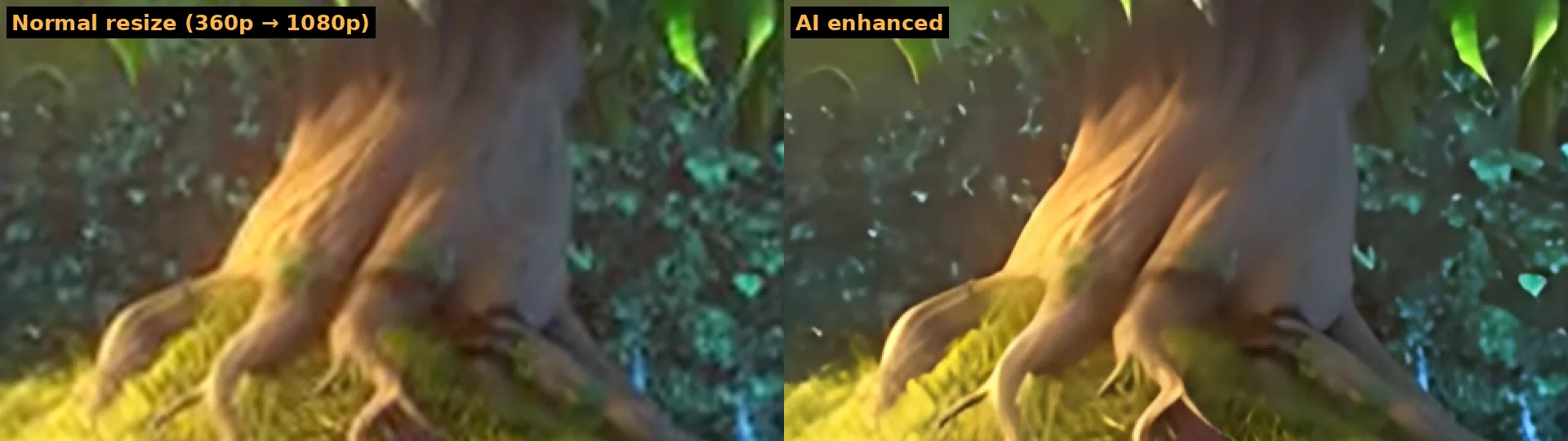
- Click Preview 3 seconds and drag the divider to compare a normal resize with the AI result. The panel shows how long the whole video will take.
- Click Enhance full video and download the 1080p MP4 when it finishes. The original sound is kept.
What 480p sources work best
| Source | What to expect at 1080p |
|---|---|
| DVD rips (MPEG-2 converted to MP4/MKV) | Very good: clean edges, much less mosquito noise around text and outlines |
| Old smartphone videos | Good, especially in daylight; dark indoor clips improve less |
| Camcorder and digital camera clips | Good; deinterlace first if you see comb lines on motion |
| Videos re-downloaded from social networks | Compression blocks removed; fine detail limited by the double compression |
| Animated DVDs and cartoons | Excellent with the anime model: crisp lines and flat colors |
480p to 1080p: resolution and aspect ratio
"480p" covers several frame sizes. Widescreen video is usually 854×480, which becomes 1920×1080. Classic 4:3 video is 640×480 and becomes 1440×1080, keeping its original shape instead of being stretched. DVD video is stored at 720×480 with non-square pixels; the converter uses the display size so circles stay round. If you need a 16:9 frame for a 4:3 video, add side bars in your editor after converting.
Speed of a 480p to 1080p conversion
A 480p frame is processed at its own size, so no detail is thrown away before the AI sees it. On an NVIDIA RTX 4060 Ti in Chrome this runs at roughly 3 to 5 frames per second, including decoding and encoding: about 6 to 10 minutes for one minute of 30 fps video. Laptops with integrated graphics are slower, and the preview gives you an estimate for your own machine. A full-length DVD film is a long job; converting episodes or chapters one at a time is more practical.
Tips for converting old video
- Rip DVDs at the highest quality your ripper allows; every round of compression removes detail the AI could use.
- Deinterlace interlaced footage before upscaling.
- Trim black borders and unused parts first to save time.
- For a smoother look, run frame interpolation on the 1080p result to get 60 fps.
- Need an even bigger picture? Try the 4K video upscaler, or read the HD video converter guide to understand HD formats.